
Major Update for ScanSnap iX2500: New ScanSnap Go Feature Enables Quick Scanning Just by Holding Your Smartphone near the Scanner
PFU Asia Pacific Pte Ltd, a subsidiary of PFU Limited, today, January 8, released a major update for the flagship model of its ScanSnap series of image scanners, the ScanSnap iX2500 (hereinafter iX2500), which digitizes documents quickly with one touch.
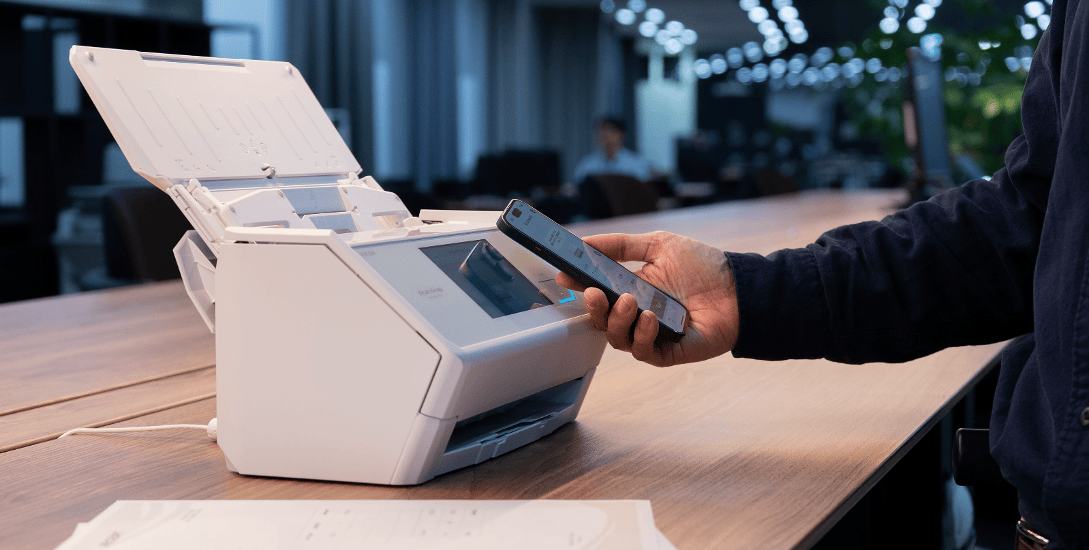
This update introduces the ScanSnap Go feature, enabling easy operation of the iX2500 by simply holding a smartphone close to it—ideal for shared offices, hot-desking environments, and other flexible workspaces.
Transcending time, location, and devices, ScanSnap connects the analog and digital worlds to offer a smart and comfortable lifestyle.
Features
Simply bring your smartphone close to instantly connect to any iX2500 with your own scan settings.
You can now use ScanSnap Go, a feature that temporarily connects your smartphone to the iX2500 when you bring your phone close.
This allows you to quickly and easily use iX2500 units across different locations, such as a free-address office on another floor or a shared office. In addition, ScanSnap Go makes it easier to share the scanner among family members.
If you already use an iX2500, the same settings you usually use will appear on the touch panel. This means you can use any iX2500 anywhere with the same feel as your usual ScanSnap iX2500. (1)
Once disconnected, user information is cleared from the iX2500 unit itself, ensuring security.

The ScanSnap Go feature makes scanning more convenient for both business and home use.
- Scan swiftly with your settings in a free-address office
- Scan with the iX2500 located at your branch office you visit while on a business trip
- Scan documents instantly at trade shows
- Scan at home quickly with your own settings without switching user.

Download/Update Method
How to Update the ScanSnap iX2500
To use new features on the ScanSnap iX2500, you need to update the firmware via ScanSnap Home.
ScanSnap Home (for mobile)
| Supported OS | iOS 16 or later / iPadOS 16 or later / Android 10 or later |
| Download Location |
App Store:
Google Play: https://play.google.com/store/apps/details?id=com.ricoh.pfu.scansnaphome |


*There may be a delay before this update becomes available. If the update does not appear, please wait a while and check for updates again.
About PFU and PFU Asia Pacific Pte Ltd
PFU Limited was established in 1960. Based on the skills acquired through computer development, we develop and supply image document-related products and services, such as image scanners. We also provide support services for building and operating IT infrastructures that contribute to the safety and security of our customers.
We at PFU will continue to evolve our edge devices to contribute to our customers’ business process reforms and Digital Transformation, provide the services that support them, and contribute to the development of a sustainable world.
For more information, please visit https://www.pfu.ricoh.com/global/
PFU Asia Pacific Pte Ltd is the subsidiary of PFU Limited for Southeast Asia regions and is based in Singapore. For more information, please visit https://www.pfu.ricoh.com/papl/
About Ricoh
Ricoh is a leading provider of integrated digital services and print and imaging solutions designed to support digital transformation of workplaces, workspaces and optimize business performance.
Headquartered in Tokyo, Ricoh’s global operation reaches customers in approximately 200 countries and regions, supported by cultivated knowledge, technologies, and organizational capabilities nurtured over its 85-year history. In the financial year ended March 2025, Ricoh Group had worldwide sales of 2,527 billion yen (approx. 16.8 billion USD).
It is Ricoh’s mission and vision to empower individuals to find Fulfillment through Work by understanding and transforming how people work so we can unleash their potential and creativity to realize a sustainable future.
For further information, please visit www.ricoh.com
Notes
(1) To use ScanSnap Go features, you must enable ScanSnap Go functionality in the wireless settings of the iX2500 unit.
Trademarks
・Product names and company names are the registered trademarks or trademarks of the respective companies.
* The information contained in this press release is accurate as of the date of publishing. Please understand that this information is subject to change without notice.